Friday, 9 August 2013

Diploma In Java Programming & J2EE

Leave a Comment


JDK
JDBC & JavaBeans   
Java-Servlet
JSP   
J2EE


JAVA DEVELOPMENT KIT

Java is platform independent, reliable Programming language introduced by sun systems, used mainly to Develop Internet applications and applets. Java is used to create web-based applications and allows user interaction on the Internet. Java allows us to have animation, audio and video clippings in our web page. Java Programming helps in writing Programs using which one can connect to any computer on the Internet.

JDBC & JAVA BEANS

JDBC technology is an API that lets you access virtually any tabular data source from the Java™ programming language. It provides cross-DBMS connectivity to a wide range of SQL databases, and now,with the new JDBC API, it also provides access to other tabular data sources, such as spreadsheets or flat files.

JavaBeans component architecture is the platform-neutral architecture for the Java application environment.It is the ideal choice for developing or assembling network-aware solutions for heterogeneous hardware and operating system environments within the enterprise or across the Internet. In fact, it is the only component architecture you should consider if you're developing for the Java platform. JavaBeans component architecture extends "Write Once, Run Anywhere ™" capability to reusable component development.In fact, the JavaBeans architecture takes interoperability a major step forward, your code runs on every OS andalso within any application environment.

Java-Servlet

Servlets are used for Server-Side Programming. Servlet are generic extensions to Java-enabled servers. Their most common use is to extend Webservers, providing a very secure, portable and easy-to-use replacement for CGI. A Servlet is a dynamically loaded module that services requests from a Web server. It runs entirely inside the Java Virtual Machine

JSP

JavaServer Pages(JSP) is a web-scripting technology similar to Netscape server-side JavaScript(SSJS) or Microsoft Active Server Pages(ASP). Although the JSP specification has been managed by Sun Microsystems, any vendor can implement JSP in their own systems.

J2EE

J2EE is a multitiered application architecture. The J2EE specification defines roles based on certain functionality in the normal course of development and deployment of a J2EE application


Timings:
01.00pm - 03.00pm,
03.30 - 5.30 pm

Course Duration:10 Months
Daily 2 hrs x 3 Days
  
Course Fees:

Diploma in Java Programming&J2ee - DURATION = 10 MONTHS

COURSE FEE = 20000
ADMISSION FEE = 6000
EMI = 2000 X 7 MONTHS

For General Candidates:20000 | For Handicapped, BPL, Poor Students: As Per Scholarship Scheme

Course Material: 
we are providing course material book at Rs. 1250/- each.

For more info do visit our Premises at HH/17, Civiltownship, Bypass Road, Near ABMS Hospital. or Call at 0661-6050016
Read More...

Thursday, 8 August 2013

Certificate course in Financial Accounting (Tally.erp9)

Leave a Comment
TALLY (Financial Accounting)
 
 
Salient Features
 
 
Application
 
Read More...

Monday, 29 July 2013

GSM BASED NOTICE BOARD (Embedded Project for Electronics / Electrical Student)

Leave a Comment
Description:
The world is going mobile and we want to control everything without moving an inch.The main aim of the project will be to design a SMS driven automatic display . The message to be displayed is sent through a SMS with the help of a GSM module.And the message will be displayed on LCD display.

Basic working and hardware required:
The main components include microcontroller, GSM modem. These components are integrated with the display board and thus incorporate the wireless features. The GSM modem receives the SMS. The AT commands are serially transferred to the modem . In return the modem transmits the stored message through the COM port. The microcontroller validates the SMS and then displays the
message in the LCD display board.SIM300 is used as a GSM module.In the prototype model, LCD display is used for simulation purpose


Project Duration: 15 Days

Timings:
10.00am - 11.00am (Sunday) ,
11.00am - 12.00 pm (Sunday)

Project Fees: 8400

Project Cost:7200
 
Training Charge:1200

For more info do visit our Premises at HH/17, Civiltownship, Bypass Road, Near ABMS Hospital. or Call at 0661-6050016
Read More...

TEMPRATURE CONTROLLED FAN (Embedded Project for Electronics / Electrical Student)

Leave a Comment
A simple project using microcontroller AT89S51 to control the speed of 12V fan according to the surrounding temperature. In this project we use the concept of PWM (pulse width modulation) to increase or decrease the speed of fan. We also interface 2*16 characters LCD which shows the outside temperature through the temperature sensor. Followings are the details of the project.

Pulse-width modulation (PWM), OR pulse-duration modulation (PDM), is a commonly used technique for controlling power to inertial electrical devices, made practical by modern electronic power switches.
The average value of voltage (and current) fed to the load is controlled by turning the switch between supply and load on and off at a fast pace. The longer the switch is on compared to the off periods, the higher the power supplied to the load is

Working criteria
The temperature controlled fan circuit will automatically control the speed of fan according to the temperature. A temperature sensor is used to sense the temperature. The speed of fan increases with the increase in temperature and vice versa and the temperature sensed by temperature sensor on the LCD. We program the micro controller to operate the fan above 25c
 
Project Duration: 15 Days

Timings:
10.00am - 11.00am (Sunday) ,
11.00am - 12.00 pm (Sunday)

Project Fees: 2400

Project Cost:1200
Training Charge:1200

For more info do visit our Premises at HH/17, Civiltownship, Bypass Road, Near ABMS Hospital. or Call at 0661-6050016
Read More...

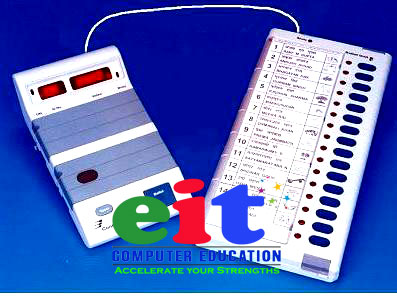
ELECTRONIC VOTING MACHINE (Embedded Project for Electronics / Electrical Student)

Leave a Comment


Abstract:

This LCD based electronic voting machine is designed for four candidates. The input part consists of a set of six tactile switches. The switches and 16x2 LCD are interfaced to microcontroller AT89C51 for various operations and displays.
The provision of casting votes for the candidates has been provided through four of these switches. These switches are made active high and connected to pins 2-5 (P1^1 – P1^4) of the controller. The remaining two switches (both active low) are to start and stop the voting procedure. They are connected to pins 1 and 6 (P1^0 and P1^5) respectively. The Init (start) switch initializes the voting system when pressed, while the Stop switch ends the voting and displays the poll results on LCD screen.
For more details on working with LCD, refer LCD interfacing with 8051. The data pins of the LCD (pins 7-14) are connected to the output port P2 of the microcontroller. The control pins (RS, R/W and EN) are connected to port P3 pins P3^0, P3^1 & P3^6 respectively.

Working:

The voting is started by pressing the Init switch after which the user is prompted to vote. The count of votes is stored in four different variables. As soon as the user votes for a candidate by pressing one of the switches, the value of the corresponding variable is increased by one. After this a Thank you message is displayed on LCD to acknowledge the registration of user’s vote.
The message stays on the screen until the next user either presses the Init button to cast another vote or Stop switch is pressed get the poll results. When the stop button is pressed, the names of the candidates are displayed along with their vote counts. After some delay, the result is displayed which could be either declaration of the winner candidate or the candidates with a clash of their number of votes. 
 
Project Duration: 15 Days

Timings:
10.00am - 11.00am (Sunday) ,
11.00am - 12.00 pm (Sunday)

Project Fees: 6000

Project Cost:4800
Training Charge:1200

For more info do visit our Premises at HH/17, Civiltownship, Bypass Road, Near ABMS Hospital. or Call at 0661-6050016
Read More...
Thanks 4 Visiting EIT Computer Education Official Blog.Like Our Fan Page at Facebook.com/eitcomputer. EIT TeamBlogger Tips and Tricks
Google+